
Slayers 2 Controls Guide: Master the Combat Mechanics and Blood Demon Arts
Learn how to master Slayers 2 controls, including the Shockwave Blood Demon Art, tap vs. hold mechanics, and advanced combat strategies for Roblox.
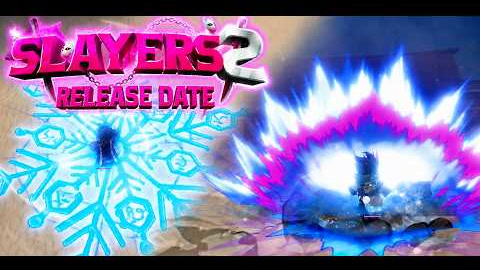 Official mediaLearn how to master Slayers 2 controls, including the Shockwave Blood Demon Art, tap vs. hold mechanics, and advanced combat strategies for Roblox.YouTube
 The anticipation for the sequel to one of the most popular anime-inspired experiences on Roblox has reached a fever pitch, and mastering the slayers 2 controls is essential for anyone looking to dominate the leaderboards. Whether you are a seasoned veteran of the previous installment or a newcomer eager to test your skills against demons, understanding the slayers 2 controls gives you a head start in a world where reaction time and precision are everything. With the official release date set for September 18, 2026, and early access beginning a week prior, players are already diving deep into the nuances of the revamped combat engine.
In this comprehensive guide, we will break down everything from basic movement to the intricate "Tap vs. Hold" mechanics that define high-level play. We will also take a specialized look at the Shockwave Blood Demon Art, a powerhouse kit that rewards players who can navigate the game's control scheme with fluidity and tactical awareness.
The Foundation of Slayers 2 Controls
Before diving into complex combos, every player must familiarize themselves with the core movement and interaction keys. The developers have opted for a layout that feels intuitive for action RPG fans while introducing layers of depth through context-sensitive inputs.
Movement in this sequel is more vertical and dynamic than its predecessor. Players can expect a greater emphasis on positioning, especially when dealing with area-of-effect (AoE) attacks from bosses. Below is a breakdown of the standard inputs you will use during your journey.
Basic Movement and Interaction
| Key / Input | Action | Tactical Use |
|---|---|---|
| WASD | Movement | Basic navigation and positioning during combat. |
| Spacebar | Jump | Evading low-sweeping attacks and initiating air combos. |
| Q + WASD | Dash / Step | Essential for dodging projectiles and closing gaps. |
| Left Click (M1) | Light Attack | The primary tool for building combos and pressure. |
| Right Click (M2) | Heavy Attack | Used to break guards or finish a basic string. |
| F | Block | Mitigates incoming damage; requires stamina management. |
| Shift | Sprint | Faster travel across the open world; drains stamina. |
| 1 - 9 | Skill Slots | Quick access to your Breathing Styles or Blood Demon Arts. |
Advanced Combat: The Tap vs. Hold System
One of the most significant evolutions in the slayers 2 controls scheme is the introduction of variable skill triggers. According to early player experience and developer showcases, many skills now behave differently based on how long you depress the key.
This system, often referred to as "Charging," adds a psychological layer to PvP. Tapping a key might result in a fast, low-damage flurry that is hard to react to, while holding the key could unleash a devastating, guard-breaking dash. Mastering this distinction is what separates casual players from the elite.
Skill Variation Comparison
| Skill Type | Input Method | Resulting Effect | Strategic Advantage |
|---|---|---|---|
| Rapid Flurry | Quick Tap | Fast, multi-hit strikes. | Interrupts enemy start-up frames. |
| Charged Dash | Long Hold | Lunging strike with high impact. | Closes distance and punishes back-pedaling. |
| Extended Barrage | Hold & Release | Continuous hits ending in a burst. | Maximizes damage during a stun window. |
| Counter Window | Contextual Tap | Activates a defensive stance. | Turns an enemy's aggression against them. |
Deep Dive: Shockwave Blood Demon Art Controls
The Shockwave Blood Demon Art (BDA) is a prime example of how the new slayers 2 controls allow for diverse playstyles. Inspired by powerful martial arts archetypes, this kit focuses on shockwaves, teleportation, and counter-attacks. Based on recent community reports and official showcases, the Shockwave BDA is designed for players who enjoy "brawler" style combat with high mobility.
Shockwave Skill Breakdown
- Air Tight: This is your primary engagement and disengagement tool. When triggered, the user performs a tactical backflip into the air, firing a long-range projectile. If this shockwave hits the opponent, the user automatically teleports to the target to follow up with a barrage. It is a perfect example of how the game handles "lock-on" mechanics through successful skill shots.
- Compass Needle: This is a sophisticated counter mechanic. By stomping the ground, the user enters a defensive state. If an opponent attempts to strike during this window, the user teleports behind them and utilizes a "Crown Splitter" to launch them into the air, setting up for devastating aerial follow-ups.
- Explosive Fury: Utilizing the tap vs. hold mechanic mentioned earlier, this skill allows for a rapid flurry of kicks upon tapping. If you hold the key, your character charges the move before dashing forward, delivering the barrage with significantly more momentum.
- Flashing Willow (Variants): This skill changes based on your vertical position.
- Ground Variant: A leap followed by a punch that creates two consecutive shockwaves.
- Air Variant: A mid-air grab that drills the opponent into the dirt, releasing a massive impact wave.
- Annihilation: A high-damage finisher where the user lunges forward with two palm-fired shockwaves. At close range, this triggers a cinematic cutscene, providing a visually stunning end to a combo.
- Chaotic Afterglow: An ultimate-tier skill unlocked only after activating the Compass Needle. It releases a 360-degree barrage of shockwaves. Holding the key extends the duration, while releasing it triggers a massive final explosion.
Shockwave BDA Control Summary Table
| Skill Name | Primary Control | Effect | Combat Role |
|---|---|---|---|
| Air Tight | Skill Key (Tap) | Backflip + Projectile + Teleport | Opener / Zoning |
| Compass Needle | Skill Key (Tap) | Stomp / Counter Stance | Defense / Counter-play |
| Explosive Fury | Skill Key (Hold) | Charged Dash + Kick Flurry | Gap Closer / Pressure |
| Flashing Willow | Skill Key (Air) | Aerial Grab & Ground Drill | Combo Finisher |
| Annihilation | Skill Key (Close) | Dual Palm Shockwaves + Cutscene | Execution |
| Chaotic Afterglow | Skill Key (After Counter) | Multi-directional Barrage | AoE / Ultimate |
Optimizing Your Setup for Competitive Play
To truly master the slayers 2 controls, many top-tier players recommend customizing your keybinds. While the default setup is functional, the fast-paced nature of the game—especially in the Shockwave PvP showcase—suggests that having your most-used skills near your movement keys (WASD) is vital.
Many players utilize gaming mice with side buttons to map their Dash (Q) or their primary Block (F). This allows for uninterrupted movement while maintaining a defensive posture. Furthermore, ensuring your frame rate is optimized is crucial, as the timing for counters like the "Compass Needle" is frame-dependent. You can find more technical optimization tips on the official Roblox platform to ensure your hardware isn't holding back your inputs.
Recommended Keybind Adjustments
- Dash (Q): Consider mapping this to a side mouse button for better directional dodging.
- Block (F): Keeping this on F is standard, but some prefer Left-Shift if they use a toggle for sprinting.
- Skill Slots 1-4: These are usually the most reached-for keys. Place your "Opener" (like Air Tight) on '1' and your "Counter" (like Compass Needle) on '2'.
Release Schedule and Early Access Details
The rollout for Slayers 2 is designed to ensure server stability. The developers at Hour Productions have emphasized that the early access period serves as a final stress test. This is the perfect time for dedicated fans to get a feel for the slayers 2 controls before the general population joins the fray.
| Phase | Date | Purpose |
|---|---|---|
| Early Access | September 11, 2026 | Server stress test, bug hunting, and feedback. |
| Content Creator Stream | September 10, 2026 | Final showcase of gameplay and mechanics. |
| Full Release | September 18, 2026 | Public launch for all players. |
During the early access phase, community reports suggest that the developers will be monitoring "Compass Needle" interactions and "Chaotic Afterglow" damage scaling to ensure the PvP environment remains balanced. Being an early adopter allows you to provide feedback that could shape the final tuning of the control response times.
Strategies for Mastery
Learning the slayers 2 controls is only the first step; applying them under pressure is where the real challenge lies. Here are three actionable tips to improve your combat efficiency:
- Stamina Management: Every dash and block consumes stamina. If you spam the Q key to move around, you will find yourself unable to block when a demon unleashes a heavy attack. Practice "perfect dashing" only when an attack is about to land.
- Combo Sequencing: Don't just mash M1. Use the ground variant of Flashing Willow to stun an enemy, then immediately follow up with Explosive Fury. If they try to retaliate, tap your Compass Needle key to trigger a counter.
- Environmental Awareness: Since many skills like Annihilation have a "close range" trigger for extra effects, pay attention to your distance. Using the slayers 2 controls to maintain the "sweet spot" distance is the hallmark of a pro player.
The transition from the original game to the sequel brings a wealth of new mechanics. The "Air Tight" teleportation and the "Chaotic Afterglow" extensions show a clear direction toward more expressive and cinematic combat. By spending time in the training grounds and participating in the early access window, you can ensure that your muscle memory is ready for the full launch on September 18.
Frequently Asked Questions
How do I change my slayers 2 controls?
Players can typically modify their keybinds through the in-game settings menu. Look for the "Controls" or "Input" tab, where you can remap skills, movement, and interaction keys to better suit your playstyle or hardware setup.
What is the difference between tapping and holding a skill key?
In Slayers 2, tapping a skill key usually executes a fast, standard version of the move. Holding the key "charges" the skill, often adding extra distance, damage, or changing the properties of the attack (such as turning a flurry into a lunging dash).
Can I play Slayers 2 on a controller?
While the primary development focus is on keyboard and mouse for precise slayers 2 controls, the game is expected to have basic controller support. However, competitive players often prefer the mouse for faster camera movement and precise aiming of shockwave projectiles.
How do I unlock the Chaotic Afterglow skill?
Chaotic Afterglow is a specialized follow-up skill. To use it, you must first successfully activate the Compass Needle counter. Once the needle is active, the skill becomes available, allowing you to unleash a massive multi-directional barrage of shockwaves.
Related Guides
Project Slayers 2: How to Play and Master the Ultimate Bandit Beater Experience
Master the ropes of Project Slayers 2 with our comprehensive guide. Learn how to play, level up fast, and dominate your foes in this intense Roblox title.
The Ultimate Guide to Slayers 2 Quests: Leveling Up, Demon Transformation, and More
Master the game with our comprehensive guide to Slayers 2 quests. Learn how to progress, become a demon, and dominate bosses in this epic RPG adventure.
The Ultimate Slayers 2 Guide: How to Become a Demon and Master the New Combat System
Master the world of Slayers 2 with our comprehensive guide. Learn how to become a demon, level up fast, and dominate with advanced combat techniques.
The Ultimate Slayers 2 Map Level Guide: Leveling Up Your Progression Strategy
Master the world of Slayers 2 with our comprehensive map level guide. Learn where to train, how to progress efficiently, and dominate the game map.